

How to correct an invoice
- In the Console, click on Invoices in the left sidebar.
- Select the invoice you want to correct.
- Click on the Correct button in the top-right corner. This will open the Correction dialog.
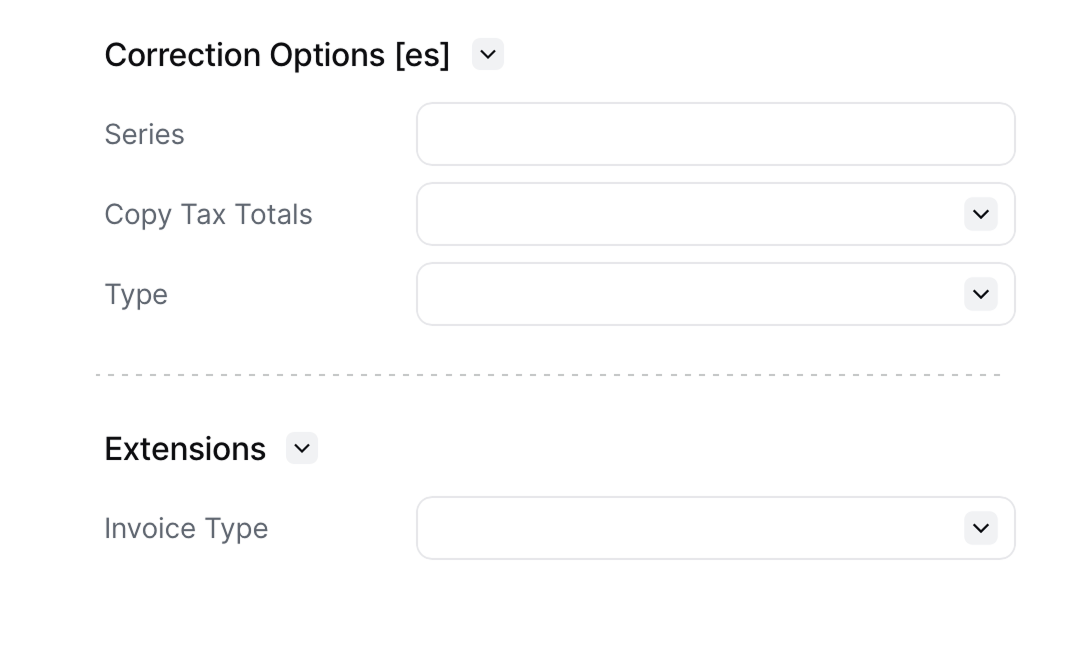
$regime of your document, but will always include a Series and a Type:
- Series: usually corrective documents will have a different series from your standard documents or invoices. A common pattern is replacing the standard series with
CN(standing forcredit-note). - Type: the options available depend on the regime, but will often include
debit-noteandcredit-note. Unless you have a specific accounting need, it is often a better practice to avoid issuing a debit note by issuing a full refund through a credit note and then issuing a new invoice.
Correction types by regime
The Correct dialog only offers the types the document’s regime and addons permit.
Regimes not listed here place no constraint of their own, so the types on offer come from whichever addon is applied to the document.
FAQ
Should I use a credit note or a corrective invoice?
Should I use a credit note or a corrective invoice?
Use a credit note when the amount charged was wrong, goods were returned, or you need to refund part or all of an invoice. The original document stays valid and the credit note extends it. This is the correction method regimes accept most widely.Use a corrective invoice when the error is in a field that cannot be fixed by adjusting a value — the customer’s name, their tax ID, or the issue date — and the original must be replaced outright. Corrective invoices are only available in some regimes, so check the correction types table first.